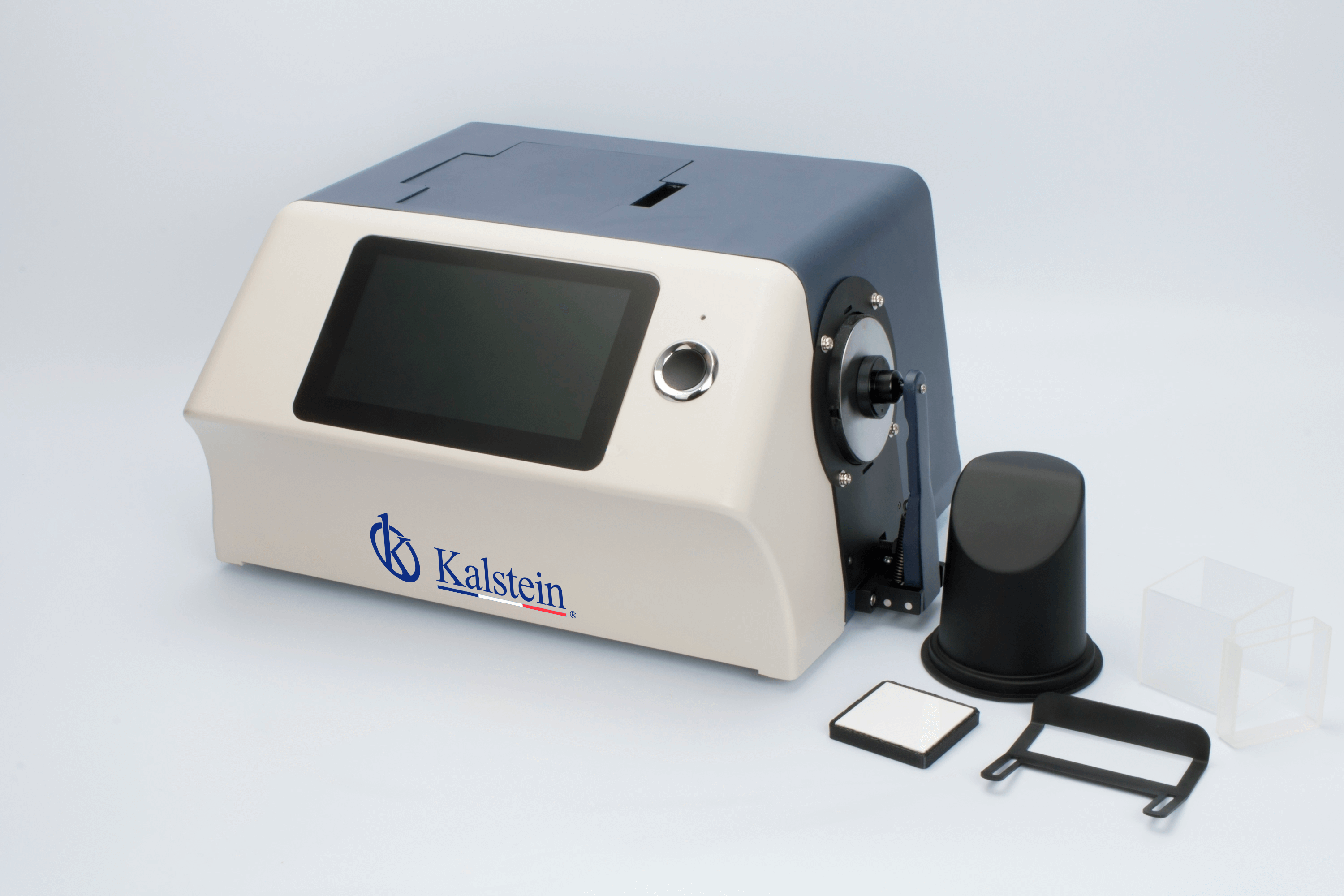
Installation and Commissioning Guide for the YR05478 Benchtop Spectrophotometer
The YR05478 benchtop spectrophotometer is a sophisticated instrument designed for accurate color measurement in various industries, including paint, plastics, textiles, and more. This guide aims to provide a detailed procedure for installing and commissioning the YR05478, ensuring its optimal performance and longevity in your laboratory settings.
Overview of the YR05478 Spectrophotometer
The YR05478 features a high-resolution 7-inch capacitive touch screen, a dual-array CMOS sensor, and a reliable xenon lamp, capable of measuring color differences and indices across various color spaces. Its advanced design allows for reflective and transmissive measurements, making it suitable for quality control and research applications.
Installation Steps for the YR05478
Proper installation is crucial for the optimal functionality of the YR05478 spectrophotometer. Follow these steps for a successful setup:
- Unboxing: Carefully remove the spectrophotometer from its packaging. Ensure that all accessories, including the power adapter, USB cable, calibration plate, and user manual, are present.
- Location Selection: Choose a stable, vibration-free surface away from direct sunlight and strong electromagnetic interference. Ensure adequate space for operation and ventilation.
- Leveling the Device: Use a spirit level to ensure that the device is perfectly horizontal. Adjust the feet of the spectrophotometer if necessary.
- Power Connection: Connect the power adapter to the device and plug it into a suitable power source. Ensure that the voltage and frequency match the specifications provided in the manual.
- First Power-Up: Turn on the device using the power button. Allow it to complete its startup routine, which includes self-diagnosis and calibration.
- Initial Calibration: Follow the instructions in the user manual to perform the initial calibration using the provided calibration plate. This step is vital for accurate measurements.
Common Installation Mistakes and How to Avoid Them
Even experienced operators can make mistakes during installation. Here are some common pitfalls and tips to avoid them:
- Ignoring Environmental Conditions: Ensure the operating environment is within the specified temperature and humidity ranges. Excessive heat or moisture can negatively affect performance.
- Improper Power Connection: Always check that the power supply matches the device’s requirements to avoid damage. Use only the recommended power adapter.
- Skipping Calibration: Do not skip the calibration step, as it is essential for ensuring measurement accuracy. Regular recalibration is recommended for ongoing reliability.
Technical Specifications of the YR05478
| Specification | Details |
|---|---|
| Model | YR05478 |
| Optical Geometry | Reflective: di:8°, de:8°; Transmissive: di:0°, de:0° |
| Light Source | LED, 360 nm to 780 nm |
| Wavelength Range | 360-780 nm |
| Measurement Aperture | Φ30mm/Φ25.4mm, Φ10mm/Φ8mm, Φ6mm/Φ4mm |
| Data Storage Capacity | 20000 test results |
| Weight | Approximately 9.6 kg |
Frequently Asked Questions
What are the environmental conditions required for the YR05478 operation?
The YR05478 operates optimally in environments with temperatures between 0-40°C and humidity levels between 0-85% RH without condensation. Ensure that the area is well-ventilated and free from extreme dust or vibrations.
How do I perform initial calibration of the YR05478?
To perform initial calibration, follow the calibration instructions provided in the user manual. Typically, this involves using a standard white calibration plate and executing the calibration function from the main menu.
What maintenance is required for the YR05478 spectrophotometer?
Routine maintenance includes regular cleaning of the optical components, recalibrating the device at specified intervals, and checking connections. Refer to the user manual for detailed maintenance guidelines.
Can the YR05478 be used for both reflective and transmissive measurements?
Yes, the YR05478 is designed to perform both reflective and transmissive measurements, making it versatile for various applications in different industries.
What should I do if the YR05478 displays an error code?
If the device displays an error code, consult the troubleshooting section in the user manual. Common errors can often be resolved by checking connections, recalibrating, or restarting the device.
Is it necessary to regularly recalibrate the YR05478?
Yes, regular recalibration is essential to maintain measurement accuracy. It is recommended to recalibrate the YR05478 after a specified number of measurements or when significant environmental changes occur.
How can I request a quote for purchasing the YR05478?
You can request a quote through the designated channels available for Kalstein products. Contact our sales team for more information.
If you are looking for a fusion of innovation and quality, you have come to the right place. At Kalstein, we offer you the luxury of exploring our exclusive catalog of laboratory equipment. We manufacture every device to the highest standards of excellence. Our intuitive and seamless online purchasing channels are designed for your convenience, securing the most competitive prices. Hesitate no longer — we bring science to life, it is time to become part of our community.