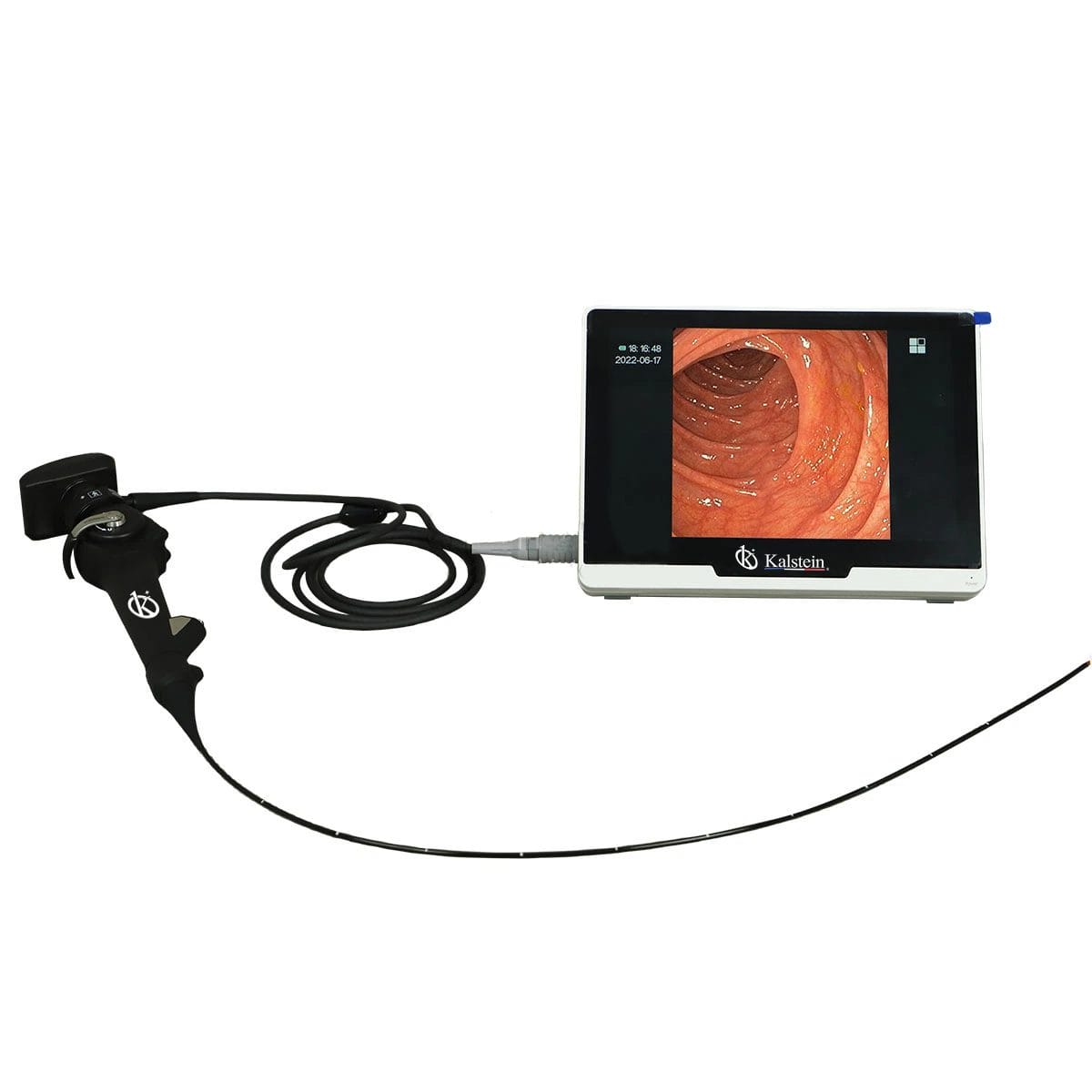
Installation and Commissioning Guide for the YR06151 Portable Veterinary Video Endoscope
The YR06151 Portable Veterinary Video Endoscope is a cutting-edge device designed to provide a high-resolution imaging solution for veterinarians. This guide will cover the essential steps required for the proper installation and commissioning of the YR06151 to ensure that it operates at peak performance right from the start.
Understanding the YR06151 Video Endoscope
The YR06151 is equipped with a high-resolution CMOS sensor that features real-time imaging capabilities with no transfer delay. Its durable LED light source enhances visibility during procedures, and the multifunction buttons on the handle allow for easy operation with one hand. The endoscope can observe in four directions by bending up and down as well as rotating left and right, which is crucial for various veterinary applications such as bronchoscopy and cystoscopy.
Technical Specifications of the YR06151
| Model | Diameter of Insertion Tube | Working Channel | Working Length | View Angle | View Depth | Range of Bending | Screen Size |
|---|---|---|---|---|---|---|---|
| YR06151 | 2.8 mm | 1.2 mm | 610 mm | 120° | 3-200 mm | 210° (Up), 130° (Down), 120° (Right), 120° (Left) | 10 inches |
Unboxing Checklist
Before installation, ensure you have all the components and accessories included in the package. The following items should be present:
- YR06151 Portable Veterinary Video Endoscope
- Instruction Manual
- Power Supply Unit
- Video Output Cable
- Protective Case
- Cleansing Kit
Installation Steps
Follow these steps to install your YR06151 endoscope:
- Setting Up the Workstation: Choose a stable surface for the endoscope. Ensure it is away from direct sunlight and moisture.
- Power Connection: Connect the power supply unit to the endoscope and plug it into an electrical outlet.
- Video Connection: Connect the video output cable to a compatible display monitor.
- Testing Connections: Power on the unit to verify that all connections are secure. Watch for any error messages on the display.
First Run Calibration
Once the installation is complete, perform a first-run calibration:
- Power up the device and allow it to initialize.
- Navigate through the settings to adjust for brightness, contrast, and focus on the display.
- Run a test video to ensure the images are clear and the controls function correctly.
Common Installation Mistakes
To avoid issues during installation, be aware of common mistakes:
- Neglecting to check for secure connections can lead to display issues.
- Not following the power-up sequence may cause the device to malfunction.
- Improper calibration can result in distorted images during use.
Frequently Asked Questions
What are the key features of the YR06151 Portable Veterinary Video Endoscope?
The YR06151 features a high-resolution CMOS sensor for clear imaging, a durable LED light source, multifunction buttons for easy operation, and the ability to observe in four directions, making it ideal for various veterinary procedures.
How do I maintain the YR06151 Video Endoscope?
Regular maintenance involves cleaning the endoscope after each use, inspecting the cables for wear and tear, and ensuring the lens is free from debris for optimal image quality.
Can the YR06151 be used for different veterinary applications?
Yes, the YR06151 is versatile and can be utilized for bronchoscopy, rhinoscopy, urethral examinations, and bladder treatments, among other applications.
What is the lifespan of the YR06151 endoscope?
The YR06151 is designed for durability and, with proper maintenance, can last several years. Regular servicing and adherence to operational guidelines will enhance its lifespan.
How do I troubleshoot common issues with the YR06151?
Common issues can include power failures or image distortion. Refer to the troubleshooting section of the manual for specific steps on isolating and resolving these problems.
Is there a warranty for the YR06151 Portable Veterinary Video Endoscope?
Yes, the YR06151 comes with a warranty that covers manufacturing defects. It is important to check the warranty terms in the manual.
Where can I request a quote for the YR06151?
You can request a quote directly through our sales team for detailed pricing and options for the YR06151 Portable Veterinary Video Endoscope.
If you are looking for a fusion of innovation and quality, you have come to the right place. At Kalstein, we offer you the luxury of exploring our exclusive catalog of laboratory equipment. We manufacture every device to the highest standards of excellence. Our intuitive and seamless online purchasing channels are designed for your convenience, securing the most competitive prices. Hesitate no longer — we bring science to life, it is time to become part of our community.