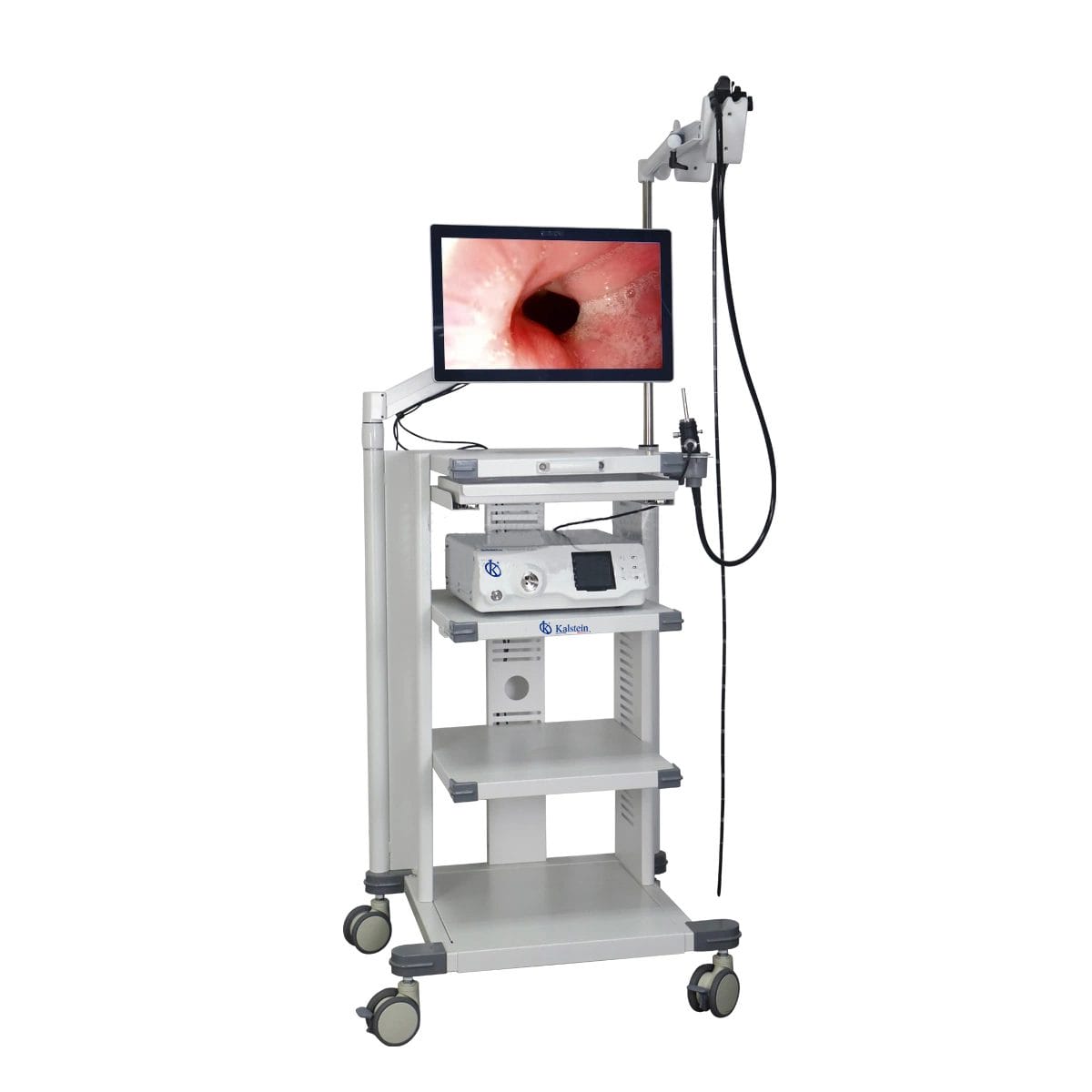
Installation and Startup Guide for the YR06145 Veterinary Video Endoscope
The YR06145 Veterinary Video Endoscope stands out for its versatility and high-definition imaging capabilities. This guide aims to facilitate a smooth installation and effective startup process for operators to maximize the potential of this advanced equipment.
Understanding the YR06145 Veterinary Video Endoscope
The YR06145 model is designed for various veterinary applications, including gastroscopy, colonoscopy, and bronchoscopy in companion animals such as dogs and cats. It is also suitable for large animals like horses and cattle. The endoscope features a professional imaging workstation that allows for accurate and reliable medical data retrieval.
Technical Specifications of the YR06145
| Model | Diameter of Insertion Tube | Working Channel | Working Length | View Angle | View Depth | Range of Bending | Resolution |
|---|---|---|---|---|---|---|---|
| YR06145 | 6.8 mm | 2.2 mm | 1500 mm | 120° | 3~100 mm | 210° (U), 130° (D), 100° (R), 100° (L) | HD 720P (1M pixels) |
Unboxing and Initial Setup
Before commencing the installation, ensure you have the following components available from the packaging:
- YR06145 Veterinary Video Endoscope
- Imaging workstation with a 21.5-inch medical touch monitor
- HDMI cables and power supply
- Operator manual and warranty information
1. Positioning the Equipment
Place the endoscope workstation in a clean, stable area with ample electrical supply. Ensure good ventilation and avoid placement in direct sunlight or extreme temperatures.
2. Connecting the Hardware
Connect the endoscope to the imaging workstation using the specified HDMI cable, ensuring secure connections. Plug in the power supply, and turn on the unit.
Calibration and First Run
After the initial setup, calibration is essential for accurate readings. Follow these steps:
1. Powering Up the Unit
Press the power button and wait for the system to boot. The monitor should display the home screen.
2. Calibration Process
Access the settings menu and follow the on-screen instructions to calibrate the imaging settings. Adjust brightness levels and check for any updates required for optimal performance.
Common Setup Mistakes and How to Avoid Them
Many new users encounter common pitfalls during installation. Here are ways to avoid them:
- Improper Cable Connections: Always ensure that cables are securely connected and check for any loose fittings.
- Ignoring Calibration: Skipping the calibration step can lead to inaccurate results. Always calibrate before the first use.
- Unfavorable Environment: Ensure the operating environment is free from excessive dust and moisture.
Maintenance and Troubleshooting
Proper maintenance will prolong the lifespan of your YR06145. Here are some common issues and solutions:
| Symptom | Probable Cause | Solution |
|---|---|---|
| Equipment does not power on | No power supply connection | Check and secure the power cable |
| Image is unclear | Incorrect calibration settings | Re-calibrate the equipment |
| Error code E-03 | Software glitch | Restart the system and update software if needed |
Frequently Asked Questions
What types of procedures can the YR06145 Veterinary Video Endoscope perform?
The YR06145 can perform a wide range of procedures such as gastroscopy, colonoscopy, and bronchoscopy in both small and large animals. It is designed for versatile clinical applications.
How do I maintain the YR06145 endoscope for optimal performance?
Regular cleaning of the endoscope after each use is critical. Use appropriate cleaning solutions, and ensure all components are back in their designated storage areas to avoid damage.
Can the YR06145 be used in field conditions?
Yes, the YR06145 can be utilized in field conditions, but ensure it is protected against extreme environmental factors like heavy rain and direct sun exposure.
What should I do if I encounter an error message on the screen?
Refer to the troubleshooting section of the user manual. If the issue persists, contact technical support for further assistance.
Is there a warranty for the YR06145 Veterinary Video Endoscope?
Yes, the YR06145 comes with a manufacturer's warranty. Details regarding the warranty period and coverage are included in the documentation that accompanies the product.
How can I request additional accessories compatible with the YR06145?
You can contact the supplier or manufacturer for a list of compatible accessories and consumables tailored for the YR06145 model.
If you need to request a quote for the YR06145 Veterinary Video Endoscope, please reach out to our sales team for more information.
If you are looking for a fusion of innovation and quality, you have come to the right place. At Kalstein, we offer you the luxury of exploring our exclusive catalog of laboratory equipment. We manufacture every device to the highest standards of excellence. Our intuitive and seamless online purchasing channels are designed for your convenience, securing the most competitive prices. Hesitate no longer — we bring science to life, it is time to become part of our community.