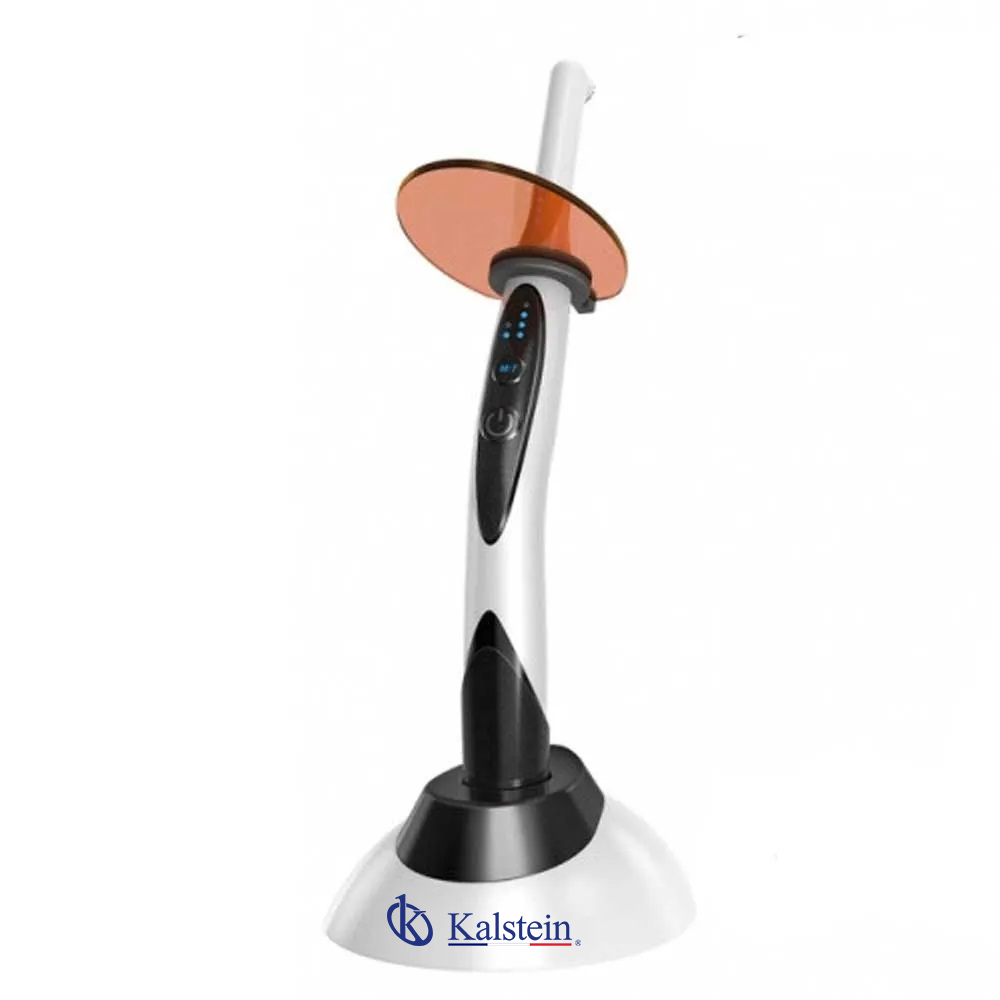
Site Requirements and Environmental Conditions for the YR06012-OP3 Dental Accessory
The YR06012-OP3 dental accessory is an essential component in modern dental practices. To ensure its optimal performance, understanding the site requirements and environmental conditions is critical. In this article, we will explore the necessary preparations, including temperature ranges, humidity levels, electrical specifications, and more.
Understanding the Environmental Conditions
Before installing the YR06012-OP3, it is vital to assess the environmental conditions of your clinic. The performance and longevity of dental equipment significantly depend on these factors.
Temperature and Humidity
The YR06012-OP3 operates best within a specified temperature and humidity range. Ideally, the operating temperature should be between 15°C to 30°C (59°F to 86°F), while humidity levels should not exceed 80%. Extreme fluctuations in temperature and humidity can lead to equipment malfunction and compromised performance.
Electrical Specifications
Ensure that your dental practice complies with the electrical requirements for the YR06012-OP3. The device typically operates on a voltage of 110V-240V with a frequency of 50/60Hz. Confirm that your electrical systems are properly grounded to avoid electrical hazards.
Site Preparation Checklist
| Requirement | Description |
|---|---|
| Temperature Range | 15°C to 30°C (59°F to 86°F) |
| Humidity Level | Below 80% |
| Power Supply | 110V-240V, 50/60Hz |
| Ventilation | Ensure adequate air flow to prevent overheating |
| Clearances | Maintain clear space around the unit for accessibility |
Setting Up the Installation Area
When preparing for the installation of the YR06012-OP3, ensure that the designated area is free from dust and contaminants. Use mats or flooring that can withstand spills and are easy to clean. Proper lighting is also essential to provide good visibility for the operator.
Common Installation Mistakes
During installation, operators may encounter several pitfalls. It's essential to avoid these common mistakes to ensure seamless operation.
Insufficient Ventilation
Failing to provide adequate ventilation can lead to overheating, which may damage internal components.
Ignoring Electrical Safety
Never overlook the importance of grounding and surge protection. Ensure all connections are secure.
Optimal Operating Conditions
Once the installation is complete, operators should monitor the equipment for optimal performance. Regular checks on temperature and humidity, as well as ensuring that the power supply remains stable, are necessary for maintaining high performance.
Technical Specifications of YR06012-OP3
| Model | Description | Used For |
|---|---|---|
| YR06012-OP3 | Light curing of dental procedures | All our dental units |
Frequently Asked Questions
What are the ideal temperature conditions for the YR06012-OP3?
The ideal temperature range for the YR06012-OP3 is between 15°C to 30°C (59°F to 86°F) to ensure optimal operation.
How can I ensure proper humidity levels in my clinic?
Humidity levels should be kept below 80%. Using dehumidifiers or air conditioning can help maintain these conditions.
What electrical specifications does the YR06012-OP3 require?
The YR06012-OP3 typically requires a voltage of 110V-240V with a frequency of 50/60Hz for optimal performance.
How important is ventilation around the YR06012-OP3?
Proper ventilation is crucial to prevent overheating of the unit. Ensure sufficient airflow around the device during operation.
What are the common installation mistakes to avoid?
Common mistakes include insufficient ventilation and ignoring electrical safety requirements. Ensure proper grounding and that the installation area is clean.
How can I prepare my installation area for the YR06012-OP3?
The installation area should be clear of dust and contaminants, with easy-to-clean mats or flooring, and adequate lighting.
What should I do if my YR06012-OP3 does not power on?
Check the power supply, ensure it is properly grounded, and verify that the voltage settings are correct.
For those looking to enhance their dental practice with quality equipment, requesting a quote for the YR06012-OP3 would be a prudent step.
If you are looking for a fusion of innovation and quality, you have come to the right place. At Kalstein, we offer you the luxury of exploring our exclusive catalog of laboratory equipment. We manufacture every device to the highest standards of excellence. Our intuitive and seamless online purchasing channels are designed for your convenience, securing the most competitive prices. Hesitate no longer — we bring science to life, it is time to become part of our community.